Toast - Vue
Toast
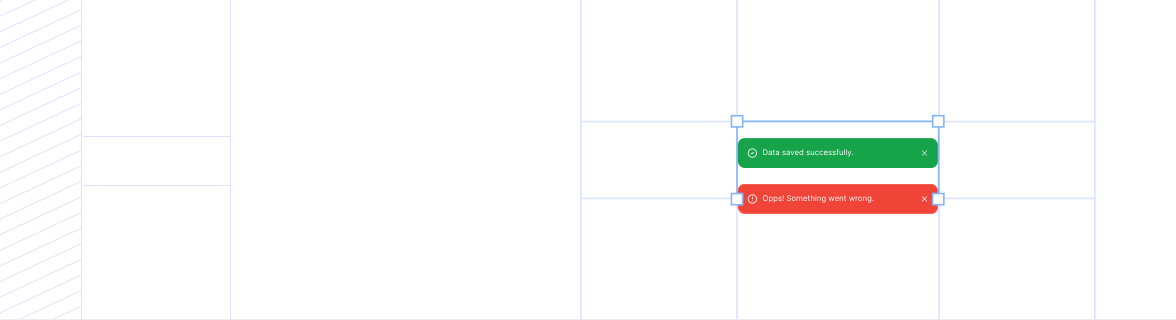
import { Toast } from '@idds/vue';Contoh Penggunaan
Section titled “Contoh Penggunaan”Contoh 1
Section titled “Contoh 1”Contoh 2
Section titled “Contoh 2”Global Provider Integration
Section titled “Global Provider Integration”Global Provider Setup
Untuk menggunakan Toast secara global, bungkus aplikasi Anda dengan ToastProvider di level root (misalnya di main.tsx atau App.vue). Ini memungkinkan Toast dipanggil dari komponen anak mana pun tanpa perlu render komponen Toast manual.
<template>
  <ToastProvider>
    <router-view />
  </ToastProvider>
</template>

<script setup lang="ts">
import { ToastProvider } from '@idds/vue';
import '@idds/vue/index.css';
</script>
Penggunaan (useToast Hook)
Gunakan hook useToast (React) atau composable useToast (Vue) di dalam komponen child untuk memicu notifikasi.
<script setup lang="ts">
import { useToast, Button } from '@idds/vue';

const { toast } = useToast();

const handleShowToast = () => {
  toast({
    state: 'positive',
    title: 'Berhasil',
    description: 'Data berhasil disimpan',
    duration: 3000,
  });
};
</script>

<template>
  <Button @click="handleShowToast">Show Toast</Button>
</template>| Name | Type | Default | Required | Description |
|---|---|---|---|---|
id? | string | — | No | ID unik untuk toast. |
title? | string | — | No | Judul toast. |
message? | string | — | No | Pesan toast (atau gunakan slot default). |
state? | 'default' | 'destructive' | 'positive' | 'default' | No | State toast. |
icon? | Component | — | No | Icon custom untuk toast (opsional). |
dismissible? | boolean | true | No | Apakah toast bisa ditutup. |
dismissLabel? | string | 'Dismiss toast' | No | Label untuk tombol dismiss (accessibility). |
duration? | number | 5000 | No | Durasi toast dalam milidetik sebelum auto-close (0 = tidak auto-close). |
position? | 'top-right' | 'top-left' | 'bottom-right' | 'bottom-left' | 'top-center' | 'bottom-center' | 'top-right' | No | Posisi toast di layar. |
class? | string | '' | No | HTML standard attribute `class` untuk container (fallthrough). |