Text Input - JavaScript
Text Input
Struktur HTML
Section titled “Struktur HTML”
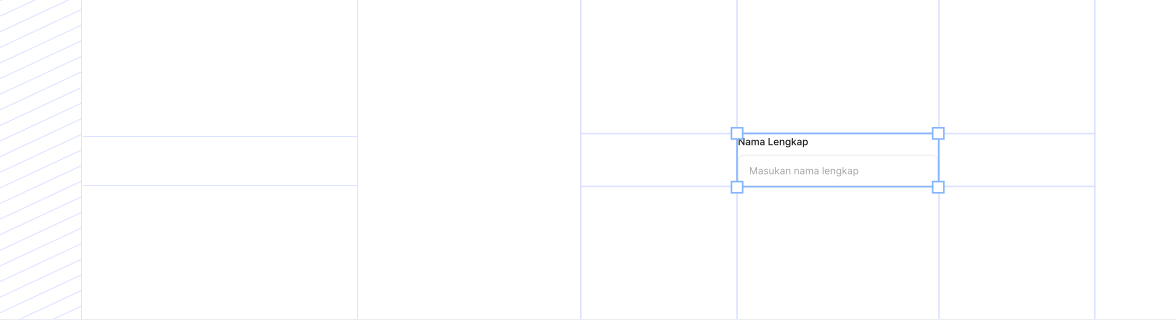
<div class="ina-text-field">
  <label class="ina-text-field__label" for="text-field-input">
    Label
  </label>
  <div class="ina-text-field__wrapper ina-text-field__wrapper--size-md">
    <input
      type="text"
      id="text-field-input"
      class="ina-text-field__input"
      placeholder="Placeholder"
    />
  </div>
  <div class="ina-text-field__bottom-area">
    <div class="ina-text-field__helper-text">Helper text</div>
  </div>
</div>
Contoh Penggunaan
Section titled “Contoh Penggunaan”TextField
Section titled “TextField”Contoh 1 - Basic TextField
Section titled “Contoh 1 - Basic TextField”<div style="display: flex; flex-direction: column; gap: 24px; max-width: 400px;">
<div class="ina-text-field">
<label class="ina-text-field__label" for="text-field-basic-1">Basic Input</label>
<div class="ina-text-field__wrapper ina-text-field__wrapper--size-md">
<input
type="text"
id="text-field-basic-1"
class="ina-text-field__input"
placeholder="Enter text..."
/>
</div>
</div>
<div class="ina-text-field">
<label class="ina-text-field__label" for="text-field-basic-2">With Prefix Icon</label>
<div class="ina-text-field__wrapper ina-text-field__wrapper--size-md">
<div class="ina-text-field__prefix-icon">
<svg
xmlns="http://www.w3.org/2000/svg"
width="16"
height="16"
viewBox="0 0 24 24"
fill="none"
stroke="currentColor"
stroke-width="2"
stroke-linecap="round"
stroke-linejoin="round"
>
<circle cx="11" cy="11" r="8"></circle>
<path d="m21 21-4.35-4.35"></path>
</svg>
</div>
<input
type="text"
id="text-field-basic-2"
class="ina-text-field__input"
placeholder="Search..."
/>
</div>
</div>
<div class="ina-text-field">
<label class="ina-text-field__label" for="text-field-basic-3">With Clear Button</label>
<div class="ina-text-field__wrapper ina-text-field__wrapper--size-md">
<input
type="text"
id="text-field-basic-3"
class="ina-text-field__input"
placeholder="Type something..."
/>
<button
type="button"
class="ina-text-field__clear-button"
style="display: none;"
aria-label="Clear input"
data-target="text-field-basic-3"
>
<svg
width="16"
height="16"
viewBox="0 0 24 24"
fill="none"
xmlns="http://www.w3.org/2000/svg"
class="ina-text-field__clear-icon"
>
<path
d="M18 6L6 18M6 6L18 18"
stroke="currentColor"
stroke-width="2"
stroke-linecap="round"
stroke-linejoin="round"></path>
</svg>
</button>
</div>
</div>
</div>
<script>
document.addEventListener('DOMContentLoaded', () => {
// Clear button functionality
const clearInput = document.getElementById('text-field-basic-3');
const clearButton = document.querySelector('[data-target="text-field-basic-3"]');
if (clearInput && clearButton) {
const updateClearButton = () => {
if (clearInput.value) {
clearButton.style.display = 'flex';
} else {
clearButton.style.display = 'none';
}
};
clearInput.addEventListener('input', updateClearButton);
clearButton.addEventListener('click', () => {
clearInput.value = '';
updateClearButton();
clearInput.focus();
});
updateClearButton(); // Initial check
}
});
</script>Contoh 2 - TextField with Status
Section titled “Contoh 2 - TextField with Status”
This field is valid
This field has an error
Please check this field
This field is disabled
<div style="display: flex; flex-direction: column; gap: 24px; max-width: 400px;">
  <div class="ina-text-field">
    <label class="ina-text-field__label" for="text-field-status-1">Success State</label>
    <div
      class="ina-text-field__wrapper ina-text-field__wrapper--size-md ina-text-field__wrapper--status-success"
    >
      <input
        type="text"
        id="text-field-status-1"
        class="ina-text-field__input"
        placeholder="Valid input"
      />
    </div>
    <div class="ina-text-field__bottom-area">
      <div class="ina-text-field__helper-text ina-text-field__helper-text--success">
        This field is valid
      </div>
    </div>
  </div>

  <div class="ina-text-field">
    <label class="ina-text-field__label" for="text-field-status-2">Error State</label>
    <div
      class="ina-text-field__wrapper ina-text-field__wrapper--size-md ina-text-field__wrapper--status-error"
    >
      <input
        type="text"
        id="text-field-status-2"
        class="ina-text-field__input"
        placeholder="Invalid input"
      />
    </div>
    <div class="ina-text-field__bottom-area">
      <div class="ina-text-field__helper-text ina-text-field__helper-text--error">
        This field has an error
      </div>
    </div>
  </div>

  <div class="ina-text-field">
    <label class="ina-text-field__label" for="text-field-status-3">Warning State</label>
    <div
      class="ina-text-field__wrapper ina-text-field__wrapper--size-md ina-text-field__wrapper--status-warning"
    >
      <input
        type="text"
        id="text-field-status-3"
        class="ina-text-field__input"
        placeholder="Warning input"
      />
    </div>
    <div class="ina-text-field__bottom-area">
      <div class="ina-text-field__helper-text ina-text-field__helper-text--warning">
        Please check this field
      </div>
    </div>
  </div>

  <div class="ina-text-field">
    <label class="ina-text-field__label" for="text-field-status-4">Disabled State</label>
    <div
      class="ina-text-field__wrapper ina-text-field__wrapper--size-md ina-text-field__wrapper--disabled"
    >
      <input
        type="text"
        id="text-field-status-4"
        class="ina-text-field__input"
        placeholder="Disabled"
        value="Disabled value"
        disabled
      />
    </div>
    <div class="ina-text-field__bottom-area">
      <div class="ina-text-field__helper-text">This field is disabled</div>
    </div>
  </div>
</div>
TextArea
Section titled “TextArea”Contoh 3 - Basic TextArea
Section titled “Contoh 3 - Basic TextArea”0/200
<div style="display: flex; flex-direction: column; gap: 24px; max-width: 500px;">
  <div class="ina-text-area">
    <label class="ina-text-area__label" for="text-area-basic-1">Basic TextArea</label>
    <div class="ina-text-area__wrapper ina-text-area__wrapper--status-neutral">
      <textarea
        id="text-area-basic-1"
        class="ina-text-area__input"
        placeholder="Enter text..."
        rows="4"></textarea>
    </div>
  </div>

  <div class="ina-text-area">
    <label class="ina-text-area__label" for="text-area-basic-2">With Character Count</label>
    <div class="ina-text-area__wrapper ina-text-area__wrapper--status-neutral">
      <textarea
        id="text-area-basic-2"
        class="ina-text-area__input"
        placeholder="Type something..."
        rows="4"
        maxlength="200"></textarea>
    </div>
    <div class="ina-text-area__char-count" id="text-area-char-count-2">0/200</div>
  </div>

  <div class="ina-text-area">
    <label class="ina-text-area__label" for="text-area-basic-3">With Clear Button</label>
    <div class="ina-text-area__wrapper ina-text-area__wrapper--status-neutral">
      <textarea
        id="text-area-basic-3"
        class="ina-text-area__input"
        placeholder="Type something..."
        rows="4"></textarea>
      <button
        type="button"
        class="ina-text-area__clear-button"
        style="display: none;"
        aria-label="Clear textarea"
        data-target="text-area-basic-3"
      >
        <svg
          width="16"
          height="16"
          viewBox="0 0 24 24"
          fill="none"
          xmlns="http://www.w3.org/2000/svg"
          class="ina-text-area__clear-icon"
        >
          <path
            d="M18 6L6 18M6 6L18 18"
            stroke="currentColor"
            stroke-width="2"
            stroke-linecap="round"
            stroke-linejoin="round"></path>
        </svg>
      </button>
    </div>
  </div>
</div>

<script>
  document.addEventListener('DOMContentLoaded', () => {
    // Character count for text-area-basic-2
    const textArea2 = document.getElementById('text-area-basic-2');
    const charCount2 = document.getElementById('text-area-char-count-2');
    if (textArea2 && charCount2) {
      textArea2.addEventListener('input', () => {
        charCount2.textContent = `${textArea2.value.length}/200`;
      });
    }

    // Clear button for text-area-basic-3
    const textArea3 = document.getElementById('text-area-basic-3');
    const clearButton3 = document.querySelector('[data-target="text-area-basic-3"]');
    if (textArea3 && clearButton3) {
      const updateClearButton = () => {
        if (textArea3.value) {
          clearButton3.style.display = 'flex';
        } else {
          clearButton3.style.display = 'none';
        }
      };
      textArea3.addEventListener('input', updateClearButton);
      clearButton3.addEventListener('click', () => {
        textArea3.value = '';
        updateClearButton();
        textArea3.focus();
      });
      updateClearButton(); // Initial check
    }
  });
</script>
Contoh 4 - TextArea with Features
Section titled “Contoh 4 - TextArea with Features”Text is valid
Text is too long
<div style="display: flex; flex-direction: column; gap: 24px; max-width: 500px;">
  <div class="ina-text-area">
    <label class="ina-text-area__label" for="text-area-features-1">With Prefix Icon</label>
    <div class="ina-text-area__wrapper ina-text-area__wrapper--status-neutral">
      <div class="ina-text-area__prefix-icon">
        <svg
          xmlns="http://www.w3.org/2000/svg"
          width="16"
          height="16"
          viewBox="0 0 24 24"
          fill="none"
          stroke="currentColor"
          stroke-width="2"
          stroke-linecap="round"
          stroke-linejoin="round"
        >
          <path d="M21 15a2 2 0 0 1-2 2H7l-4 4V5a2 2 0 0 1 2-2h14a2 2 0 0 1 2 2z"></path>
        </svg>
      </div>
      <textarea
        id="text-area-features-1"
        class="ina-text-area__input"
        placeholder="Add comments..."
        rows="3"></textarea>
    </div>
  </div>

  <div class="ina-text-area">
    <label class="ina-text-area__label" for="text-area-features-2">Success State</label>
    <div class="ina-text-area__wrapper ina-text-area__wrapper--status-success">
      <textarea
        id="text-area-features-2"
        class="ina-text-area__input"
        placeholder="Valid text"
        rows="3"></textarea>
    </div>
    <div class="ina-text-area__helper-text ina-text-area__helper-text--success">Text is valid</div>
  </div>

  <div class="ina-text-area">
    <label class="ina-text-area__label" for="text-area-features-3">Error State</label>
    <div class="ina-text-area__wrapper ina-text-area__wrapper--status-error">
      <textarea
        id="text-area-features-3"
        class="ina-text-area__input"
        placeholder="Invalid text"
        rows="3"></textarea>
    </div>
    <div class="ina-text-area__helper-text ina-text-area__helper-text--error">Text is too long</div>
  </div>

  <div class="ina-text-area">
    <label class="ina-text-area__label" for="text-area-features-4">Auto-resize</label>
    <div class="ina-text-area__wrapper ina-text-area__wrapper--status-neutral">
      <textarea
        id="text-area-features-4"
        class="ina-text-area__input"
        placeholder="This textarea will auto-resize..."
        rows="4"></textarea>
    </div>
  </div>
</div>
PhoneInput
Section titled “PhoneInput”Contoh 5 - Basic PhoneInput
Section titled “Contoh 5 - Basic PhoneInput”Contoh input field telepon
Value:
-
<div class="ina-phone-input md:max-w-1/2" id="phone-input-demo">
  <label class="ina-phone-input__label" for="phone-input-1"> Nomor Telepon </label>

  <div class="ina-phone-input__wrapper ina-phone-input__wrapper--size-md">
    <div class="ina-phone-input__country-selector" id="country-selector-demo">
      <button
        type="button"
        class="ina-phone-input__country-button"
        id="country-button-demo"
        aria-expanded="false"
      >
        <span class="ina-phone-input__country-flag">🇮🇩</span>
        <span class="ina-phone-input__country-code">+62</span>
        <svg
          class="ina-phone-input__country-chevron"
          width="12"
          height="12"
          viewBox="0 0 24 24"
          fill="none"
          xmlns="http://www.w3.org/2000/svg"
        >
          <path
            d="M6 9L12 15L18 9"
            stroke="currentColor"
            stroke-width="2"
            stroke-linecap="round"
            stroke-linejoin="round"></path>
        </svg>
      </button>

      <div
        class="ina-phone-input__country-dropdown"
        id="country-dropdown-demo"
        style="display: none;"
      >
        <div class="ina-phone-input__country-search">
          <input
            type="text"
            placeholder="Cari"
            class="ina-phone-input__country-search-input"
            id="country-search-demo"
          />
        </div>

        <div class="ina-phone-input__country-list" id="country-list-demo">
          <!-- Countries will be populated by JS -->
        </div>
      </div>
    </div>

    <div class="ina-phone-input__divider"></div>

    <input
      type="tel"
      id="phone-input-1"
      class="ina-phone-input__input"
      placeholder="812-3456-7890"
    />
  </div>

  <div class="ina-phone-input__helper-text">Contoh input field telepon</div>
  <div>
    <p class="text-xs text-content-secondary mb-1">Value:</p>
    <code
      id="phone-value-preview"
      class="bg-background-secondary p-2 rounded-md text-xs block min-h-[32px] flex items-center"
    >
      -
    </code>
  </div>
</div>

<script>
  const countries = [
    { code: 'ID', name: 'Indonesia', dialCode: '+62', flag: '🇮🇩' },
    { code: 'US', name: 'United States', dialCode: '+1', flag: '🇺🇸' },
    { code: 'GB', name: 'United Kingdom', dialCode: '+44', flag: '🇬🇧' },
    { code: 'SG', name: 'Singapore', dialCode: '+65', flag: '🇸🇬' },
    { code: 'MY', name: 'Malaysia', dialCode: '+60', flag: '🇲🇾' },
    { code: 'AU', name: 'Australia', dialCode: '+61', flag: '🇦🇺' },
    { code: 'JP', name: 'Japan', dialCode: '+81', flag: '🇯🇵' },
  ];

  let selectedCountry = countries[0];
  const container = document.getElementById('phone-input-demo');
  const button = document.getElementById('country-button-demo');
  const dropdown = document.getElementById('country-dropdown-demo');
  const list = document.getElementById('country-list-demo');
  const searchInput = document.getElementById('country-search-demo') as HTMLInputElement;
  const phoneInput = document.getElementById('phone-input-1') as HTMLInputElement;
  const chevron = button?.querySelector('.ina-phone-input__country-chevron');
  const valuePreview = document.getElementById('phone-value-preview');

  function updateValuePreview() {
    if (valuePreview && phoneInput) {
      const value = phoneInput.value;
      valuePreview.textContent = value
        ? `${selectedCountry.dialCode}${value.replace(/-/g, '')}`
        : '-';
    }
  }

  function renderCountries(filter = '') {
    if (!list) return;
    list.innerHTML = '';

    const filtered = countries.filter(
      (c) => c.name.toLowerCase().includes(filter.toLowerCase()) || c.dialCode.includes(filter)
    );

    filtered.forEach((country) => {
      const btn = document.createElement('button');
      btn.type = 'button';
      btn.className = `ina-phone-input__country-option ${country.code === selectedCountry.code ? 'ina-phone-input__country-option--selected' : ''}`;
      btn.innerHTML = `
        <span class="ina-phone-input__country-flag">${country.flag}</span>
        <span class="ina-phone-input__country-name">${country.name}</span>
        <span class="ina-phone-input__country-dial-code">${country.dialCode}</span>
      `;
      btn.onclick = () => selectCountry(country);
      list.appendChild(btn);
    });
  }

  function selectCountry(country: (typeof countries)[0]) {
    selectedCountry = country;
    if (button) {
      const flag = button.querySelector('.ina-phone-input__country-flag');
      const code = button.querySelector('.ina-phone-input__country-code');
      if (flag) flag.textContent = country.flag;
      if (code) code.textContent = country.dialCode;
    }
    closeDropdown();
    phoneInput?.focus();
    updateValuePreview();
  }

  function openDropdown() {
    if (dropdown && button) {
      dropdown.style.display = 'block';
      button.setAttribute('aria-expanded', 'true');
      chevron?.classList.add('ina-phone-input__country-chevron--open');
      searchInput?.focus();
      renderCountries();
    }
  }

  function closeDropdown() {
    if (dropdown && button) {
      dropdown.style.display = 'none';
      button.setAttribute('aria-expanded', 'false');
      chevron?.classList.remove('ina-phone-input__country-chevron--open');
    }
  }

  function formatPhoneNumber(value: string) {
    const clean = value.replace(/\D/g, '');
    if (clean.length > 7) {
      return clean.replace(/^(\d{3})(\d{4})(.*)/, '$1-$2-$3');
    } else if (clean.length > 3) {
      return clean.replace(/^(\d{3})(.*)/, '$1-$2');
    }
    return clean;
  }

  // Event Listeners
  button?.addEventListener('click', (e) => {
    e.stopPropagation();
    if (dropdown?.style.display === 'block') {
      closeDropdown();
    } else {
      openDropdown();
    }
  });

  searchInput?.addEventListener('input', (e) => {
    renderCountries((e.target as HTMLInputElement).value);
  });

  searchInput?.addEventListener('click', (e) => e.stopPropagation());

  phoneInput?.addEventListener('input', (e) => {
    const target = e.target as HTMLInputElement;
    const val = target.value.replace(/\D/g, '');
    target.value = formatPhoneNumber(val);
    updateValuePreview();
  });

  document.addEventListener('click', (e) => {
    if (container && !container.contains(e.target as Node)) {
      closeDropdown();
    }
  });

  // Initial render
  renderCountries();
  updateValuePreview();
</script>