Tab Menu - Vue
Tab Menu
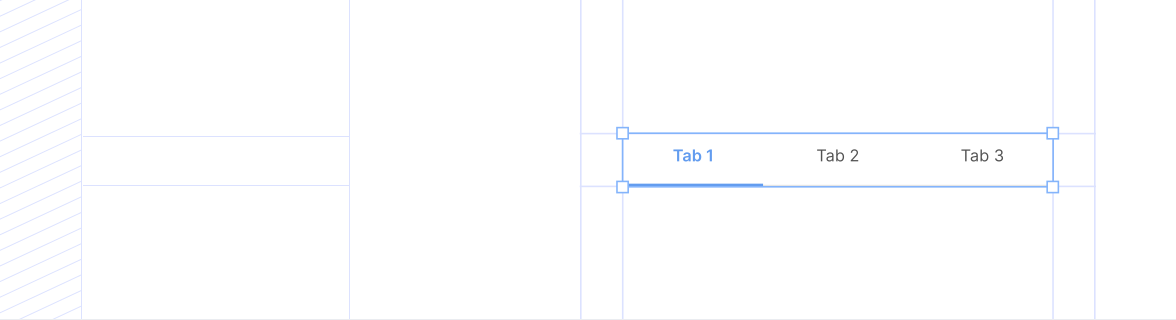
TabVertical
Section titled “TabVertical”import { TabVertical } from '@idds/vue';TabHorizontal
Section titled “TabHorizontal”<template>
<TabHorizontal
:items="items"
:value="value"
@change="setValue"
variant="outline"
/>
</template>
<script setup>
import { ref } from 'vue';
import { TabHorizontal } from '@idds/vue';
const value = ref('overview');
const items = ref([
{ value: 'overview', label: 'Overview' },
{ value: 'details', label: 'Details' },
{ value: 'profile', label: 'Profile' },
]);
const setValue = (newValue) => {
value.value = newValue;
};
</script>Contoh Penggunaan
Section titled “Contoh Penggunaan”TabVertical
Section titled “TabVertical”Contoh 1 - Outline Variant
Section titled “Contoh 1 - Outline Variant”Contoh 2 - Button Brand Variant
Section titled “Contoh 2 - Button Brand Variant”Contoh 3 - Button White Variant with useBrandColor
Section titled “Contoh 3 - Button White Variant with useBrandColor”Contoh 4 - Sizes
Section titled “Contoh 4 - Sizes”TabHorizontal
Section titled “TabHorizontal”Contoh 5 - Outline Variant
Section titled “Contoh 5 - Outline Variant”Contoh 6 - Button Brand Variant
Section titled “Contoh 6 - Button Brand Variant”Contoh 7 - Full Width
Section titled “Contoh 7 - Full Width”Contoh 8 - Disabled States
Section titled “Contoh 8 - Disabled States”TabVertical
| Name | Type | Default | Required | Description |
|---|---|---|---|---|
items | TabVerticalItem[] | — | Yes | Array of tab items. Each item has: { value: string, label: string | Component, disabled?: boolean } |
value? | string | — | No | Currently selected tab value (controlled). |
defaultValue? | string | — | No | Default selected tab value (uncontrolled). |
onChange? | (value: string) => void | — | No | Callback when tab changes. |
size? | 'sm' | 'md' | 'md' | No | Size variant: sm (14px/36px, mobile: 12px/32px) or md (16px/40px, mobile: 14px/36px). |
variant? | 'button-brand' | 'outline' | 'button-white' | 'outline' | No | Visual variant of the tabs. |
useBrandColor? | boolean | false | No | Whether to use brand primary color for outline and button-white variants. |
disabled? | boolean | false | No | Whether tabs are disabled. |
class? | string | '' | No | HTML standard class attribute (fallthrough). |
containerClassName? | string | '' | No | Custom class name for tab container. |
tabClassName? | string | '' | No | Custom class name for individual tabs. |
width? | string | number | '200px' | No | Width of the vertical tab container. |
TabHorizontal
| Name | Type | Default | Required | Description |
|---|---|---|---|---|
items | TabHorizontalItem[] | — | Yes | Array of tab items. Each item has: { value: string, label: string | Component, disabled?: boolean } |
value? | string | — | No | Currently selected tab value (controlled). |
defaultValue? | string | — | No | Default selected tab value (uncontrolled). |
onChange? | (value: string) => void | — | No | Callback when tab changes. |
size? | 'sm' | 'md' | 'md' | No | Size variant: sm (14px/36px, mobile: 12px/32px) or md (16px/40px, mobile: 14px/36px). |
variant? | 'button-brand' | 'outline' | 'button-white' | 'outline' | No | Visual variant of the tabs. |
fullWidth? | boolean | false | No | Whether tabs should fill full width with flex-1. |
useBrandColor? | boolean | false | No | Whether to use brand primary color for outline and button-white variants. |
disabled? | boolean | false | No | Whether tabs are disabled. |
class? | string | '' | No | HTML standard class attribute (fallthrough). |
containerClassName? | string | '' | No | Custom class name for tab container. |
tabClassName? | string | '' | No | Custom class name for individual tabs. |