Stepper - JavaScript
Stepper
Struktur HTML
Section titled “Struktur HTML”
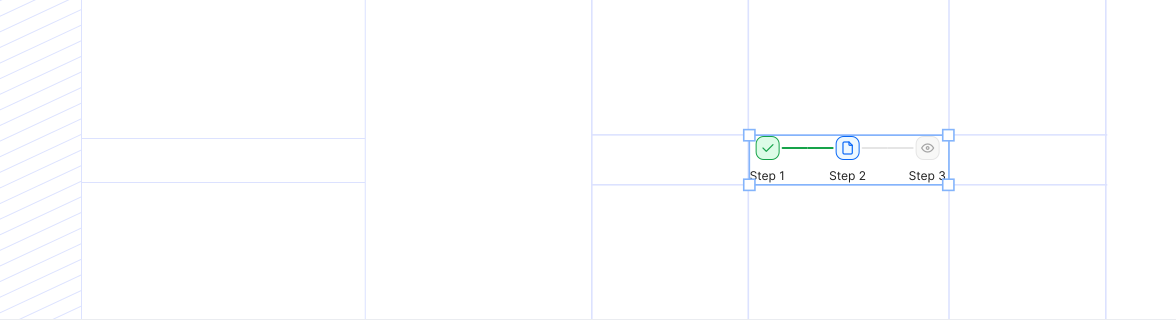
<div class="ina-stepper ina-stepper--horizontal ina-stepper--horizontal-responsive">
  <div class="ina-stepper__item ina-stepper__item--completed">
    <div class="ina-stepper__icon-wrapper">
      <svg
        xmlns="http://www.w3.org/2000/svg"
        class="ina-stepper__check-icon"
        width="16"
        height="16"
        viewBox="0 0 24 24"
        stroke-width="2.5"
        stroke="currentColor"
        fill="none"
        stroke-linecap="round"
        stroke-linejoin="round"
      >
        <path stroke="none" d="M0 0h24v24H0z" fill="none" />
        <path d="M5 12l5 5l10 -10" />
      </svg>
    </div>
    <div class="ina-stepper__label">Step 1</div>
  </div>
  <div class="ina-stepper__separator ina-stepper__separator--completed"></div>
  <div class="ina-stepper__item ina-stepper__item--active">
    <div class="ina-stepper__icon-wrapper">
      <span class="ina-stepper__step-number">2</span>
    </div>
    <div class="ina-stepper__label">Step 2</div>
  </div>
  <div class="ina-stepper__separator"></div>
  <div class="ina-stepper__item">
    <div class="ina-stepper__icon-wrapper">
      <span class="ina-stepper__step-number">3</span>
    </div>
    <div class="ina-stepper__label">Step 3</div>
  </div>
</div>
Contoh Penggunaan
Section titled “Contoh Penggunaan”Contoh 1 - Horizontal Stepper
Section titled “Contoh 1 - Horizontal Stepper”Step 1
2
Step 2
3
Step 3
4
Step 4
Contoh 2 - Vertical Stepper
Section titled “Contoh 2 - Vertical Stepper”Step 1
Step 2
3
Step 3
4
Step 4
Contoh 3 - Clickable Stepper
Section titled “Contoh 3 - Clickable Stepper”Step 1
2
Step 2
3
Step 3
4
Step 4
Current Step: 2